Skip to content
For a limited time, get 50% off and enjoy lifetime access!

From capture to final cut

A polished recording, without the handoff.

Record, arrange, focus, and export in the same native Mac app. The raw take becomes the edit instead of another file to move around.
  • 3capture modes
  • 1visual timeline
  • 0cloud handoffs
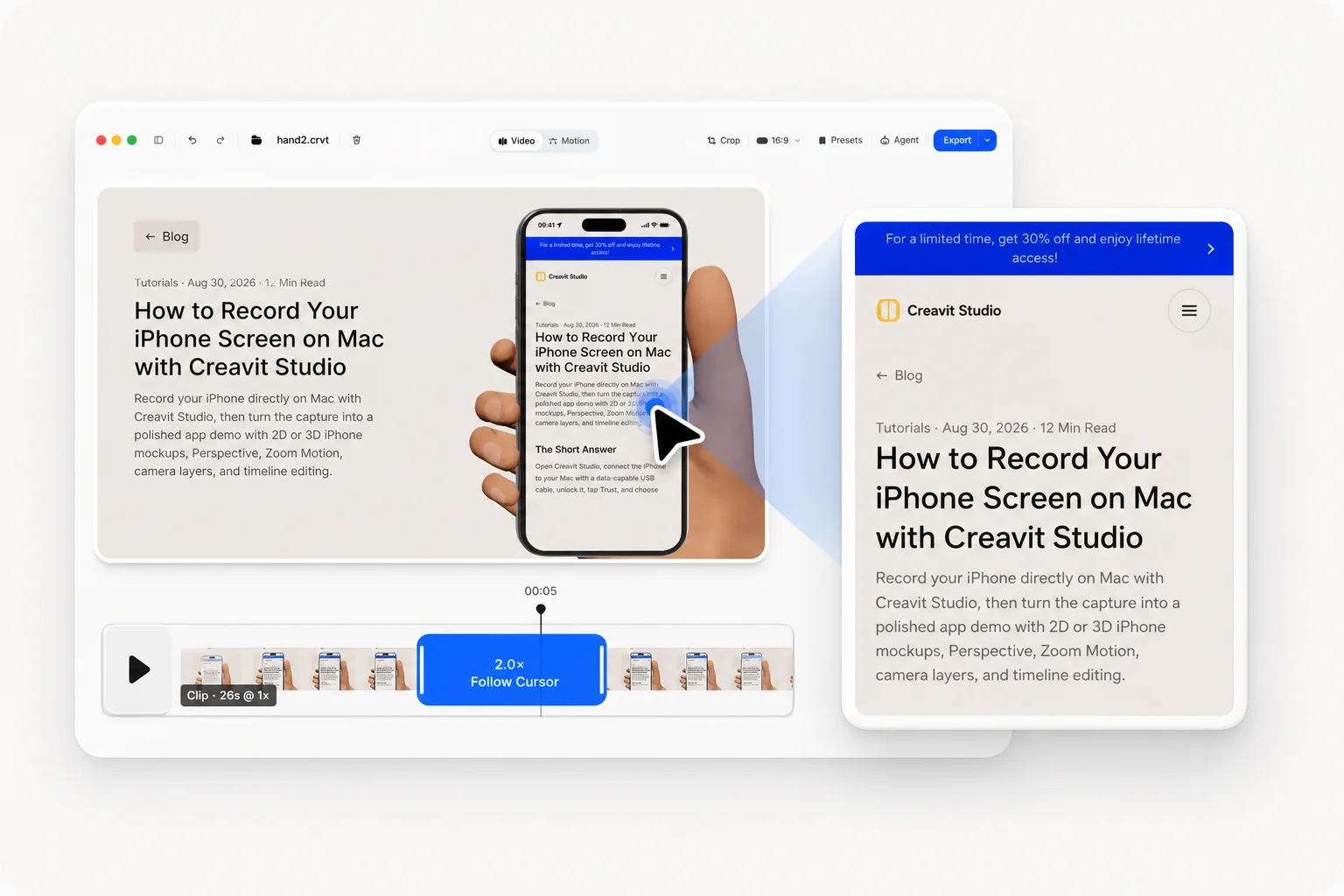
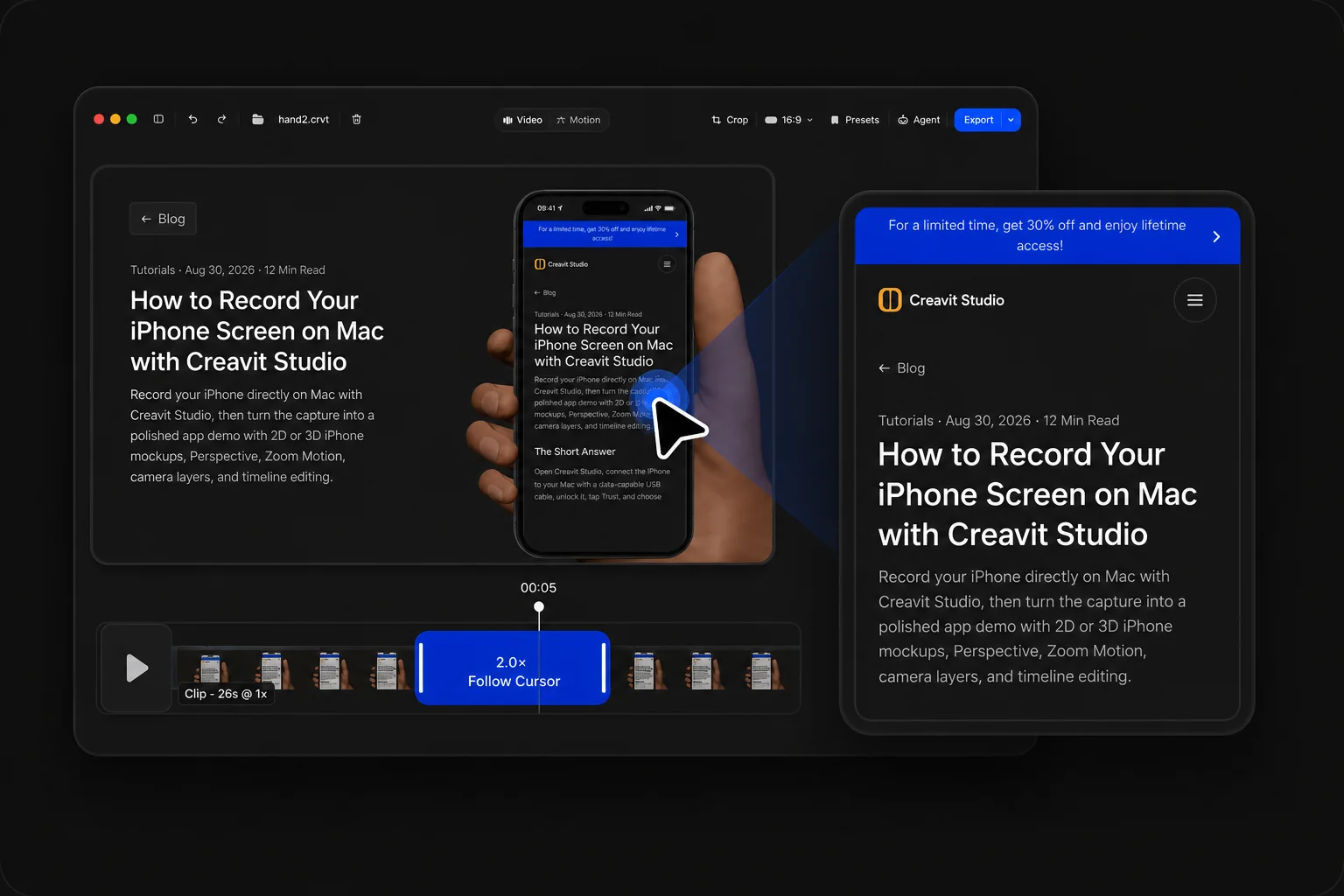
Creavit Studio editor showing an automatic zoom in light modeCreavit Studio editor showing an automatic zoom in dark mode
01Record once. Keep editing.

The complete flow

Four steps, one continuous project.

Every stage keeps the screen, camera, audio, and timeline in context.

01 · Capture

Choose exactly what enters the frame.

Record a display, a single window, or a selected area. Add camera, microphone, and system audio only when the story needs them.
  • Display, window, and area capture
  • Optional camera and microphone
  • Native system audio recording
  • Local recording on your Mac

02 · Compose

Keep the screen and presenter easy to reshape.

Place the camera beside or over the screen, resize it for each moment, and remove its background after recording when you want a cleaner presenter layer. Set the canvas background to None and there is no background at all.
  • Screen and camera layout controls
  • Post-recording background removal
  • Transparent canvas with Background → None
  • Reusable framing choices
  • Light and dark editor appearances

03 · Direct

Guide attention on the timeline.

Trim the take, adjust zoom beats, refine cursor emphasis, and time text, privacy masks, media, or motion to the exact moment they help.
  • Editable zoom and cursor treatments
  • Timeline trims and clip arrangement
  • Text, media, and privacy overlays
  • Motion Studio elements

04 · Deliver

Render the finished story locally.

Preview the complete edit, choose the output quality, and export without uploading the project to a browser editor or cloud workspace first. A transparent canvas exports with its alpha channel intact.
  • Selectable output quality
  • Alpha export: ProRes 4444 (.mov) or VP9 (.webm)
  • Camera, zoom, and motion carried into export
  • Projects remain on your Mac
  • No recorder-to-editor handoff

Your whole studio.
Your choice of plan.

Start for free. Pay monthly, save with a year, or make it yours for life.
One app for recording, editing, motion, and AI.

Free trial

Find your creative flow.

$0 to get started

Try the studio before choosing your plan.

  • Screen and camera recording
  • Explore the editing timeline
  • Try Motion Studio
  • 5 free exports
Download for freeNo credit card required.

Pay monthly

Save 50%

Monthly Plan

$19.80$9.90/month

Billed monthly. Cancel anytime.

  • Unlimited 4K exports
  • Free lifetime updates
  • Use on up to 5 devices
  • Access all features

One-time payment

Save 50%

Lifetime Plan

$198$99one-time

One-time payment. Lifetime access, no subscription.

Only 16 spots left at this price.
  • Unlimited 4K exports
  • Free lifetime updates
  • Use on up to 5 devices
  • Access all features

One license. Up to five Macs. 14-day money-back guarantee.

Creavit Studio

Download Creavit Studio for Mac

Record your screen, shape the story, and bring it to life. Your entire creative studio, right on your Mac.

Includes 5 free exports. Upgrade for unlimited exports.

Available for macOS only. Visit this page on your Mac to download.

v3.7.0 · macOS · Apple Silicon · Intel Release notes ↗

Frequently Asked Questions

Everything about pricing, licensing, updates, and system requirements in one place.

How does Creavit Studio differ from other screen recording applications?

Creavit Studio uses native screen recording APIs for high-quality captures with system audio, enables perspective and cinematic clip effects, lets you remove backgrounds from camera video after recording, and combines auto smart zoom, cursor styling, timeline editing, and export—all in one streamlined macOS app. No need for separate tools from capture to polished video.

Can I use it on multiple devices?

Yes. The lifetime plan can be used on up to 5 compatible Mac devices tied to the same license.

Is Creavit Studio available now?

Yes. You can download the current macOS build today, try the app without signing up, and try 5 free exports, and upgrade for unlimited exports.

Can an AI agent control Creavit Studio?

Yes. The editor has a built-in Agent panel that runs the Claude Code or Codex CLI already installed on your Mac, and the app ships an open MCP server (creavit-studio-mcp) so Claude Code, Codex, Cursor, or any MCP client can drive it from your terminal. Adding it takes one command (claude mcp add creavit-studio -- npx -y creavit-studio-mcp), then you can ask for zooms, cuts, privacy masks, motion scenes, recordings, or an export. The MCP bridge runs locally on your Mac. The connected AI provider handles any context you choose to send according to its own settings.

How is privacy handled in Creavit Studio?

Your recordings stay on your Mac. Creavit Studio does not depend on uploading projects to the cloud to let you record, edit, or export.

What features will be added in the future?

The roadmap focuses on deeper editing workflows, more AI-assisted production tools, and broader export and content-format options while keeping the app lean and fast.

What macOS version is required?

Creavit Studio is available for Apple Silicon and Intel Macs. Choose the matching build on the download page.

Where can I manage my subscription?

If you have an active Paddle billing relationship, you can manage invoices and billing details through the customer portal. Lifetime purchases do not require an ongoing subscription to keep using the app.