Start with why you want to replace Loom
A quick explanation to a teammate and a public product demo are different jobs. Before replacing Loom, decide whether you need a better share-link workflow, more control over the finished video, a local file, or a free recording setup. That decision will narrow the shortlist faster than comparing every feature at once.
This is an editorial comparison by Creavit Studio, reviewed against the linked official product descriptions on September 22, 2026. It does not claim independent performance testing. Confirm current plan limits and try your real workflow before migrating.
Five alternatives, five useful starting points
| Tool | Consider it for | Decision to make |
| Creavit Studio | Local Mac editing and polished demos | Where will you share the exported file? |
| Tella | Presentation-style recording and hosted sharing | Which plan covers the export and hosting you need? |
| Cap | An open-source Loom alternative | Do you want hosted sharing, self-hosting, or local recording? |
| Screen Studio | Automatic visual polish for Mac recordings | Does its focused editing workflow fit your project? |
| OBS | Free recording and streaming | Which editor will you use after capture? |
Creavit Studio: build the finished video locally
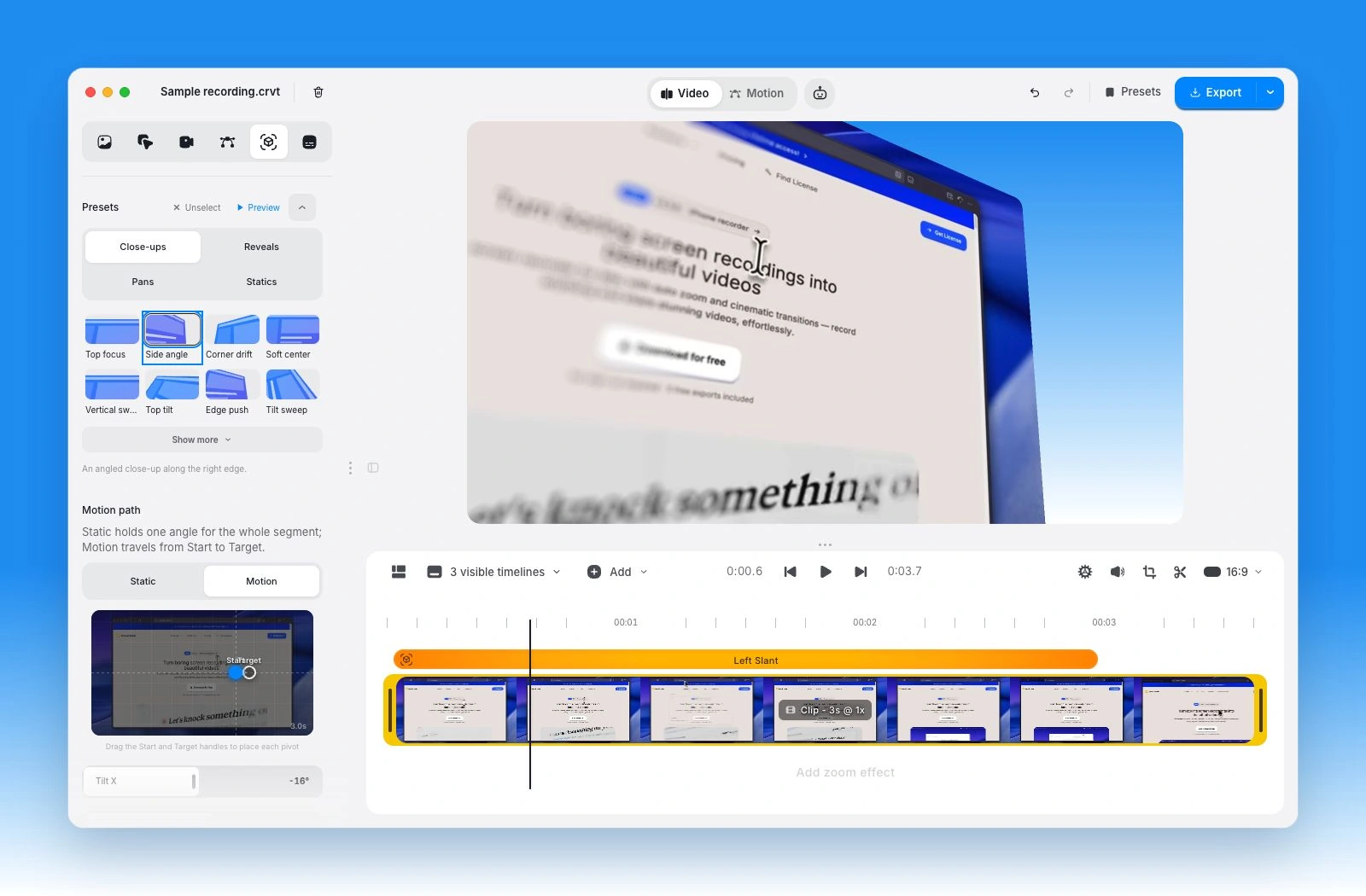
Creavit Studio is a good fit when the recording will become a product demo, lesson, or launch clip. Record the screen with narration and an optional camera layer, then edit zooms, cursor presentation, backgrounds, text, and media in the desktop app. Keep the project for later revisions instead of treating each recording as a disposable message.
For branded openings and feature announcements, the free Motion Editor adds animated text, shapes, images, and timeline control. Transcript editing and silence review help tighten a spoken explanation before you add the final presentation.
The tradeoff is deciding how the final video will reach your audience. Export to a file and use the hosting or sharing service that fits your team. Test both the editing experience and the recipient's viewing experience. Paid video export options and the trial allowance are explained on pricing.
Tella: make presentation and sharing part of the workflow
Tella offers screen/camera recording, designed layouts, zooms, subtitles, transcript-based editing, and hosted share links. It is a useful candidate for a polished spoken update or presentation where you also want the sharing step handled in the same product.
Compare the current export, storage, and team features with your requirements. If keeping the edit in a desktop project is important, our Tella comparison explains how that differs from Creavit's local workflow.
Cap: consider the open-source and hosting choices
Cap presents itself as an open-source Loom alternative. Its offering includes different recording and sharing workflows, so evaluate the specific mode you will use rather than assuming every mode has identical limits or editing controls.
This is particularly relevant when owning the deployment matters. Self-hosting also means operating the service: storage, updates, access controls, and backups become part of the decision. Open-source availability does not mean every hosted service or commercial build is free. Check Cap's current licensing and plans.
Screen Studio: focus on the visual recording
Screen Studio is a Mac option for automatic zoom, cursor smoothing, and an edited presentation of screen activity. It also supports manual adjustments and export workflows. Consider it when the central requirement is making the recorded interaction look clear and deliberate.
Try the export at the size your audience will watch. UI readability, zoom timing, and camera placement can matter more than a dramatic preview. For other choices in this category, see Screen Studio alternatives.
OBS: a free recording route
OBS Studio is useful when you need free recording, streaming, or live source composition. It does not replace Loom's entire hosted messaging workflow. Plan how to edit the capture and how to share it after recording.
For a simple internal message, the built-in Mac Screenshot toolbar may also be enough. Our Mac screen recording guide explains that route before introducing more advanced tools.
Compare the parts a feature table misses
How quickly can the recipient watch?
Try the link or file using the permissions your audience will actually have. Check whether viewers need an account, whether the destination is blocked at work, and whether the video's text remains legible in the embedded player. A smooth recording experience does not guarantee a smooth viewing experience.
What happens when the explanation is wrong?
Record a deliberate mistake and correct it. Can you replace one section, remove a repeated sentence, fix a caption, or add a label? If product wording changes every week, repeatability is more valuable than saving a few seconds on the first take.
Where are the recordings stored?
Decide whether the project and finished file should stay local, be uploaded to a hosted workspace, or live in infrastructure you manage. Review the tool's actual settings rather than assuming a desktop app never uploads data or that a browser workflow always requires public access.
What does the plan include?
Compare the recording length, export quality, storage, seats, captions, and retention you actually need. Loom's pricing page is the source for its current limits. For Creavit, use the live plan comparison. Avoid multiplying an old promotional price into a multi-year cost claim.
A low-risk way to switch
Keep existing Loom links available while you try a replacement on three new videos: one team update, one customer explanation, and one public demo. Time the complete job, including correction and sharing. Ask a recipient to watch each result on their normal device.
Retain the original recordings and project files you need. Check export availability and viewer permissions before cancelling or changing a service. You do not need to move every historical video just to make the next one in a better-fitting tool.
Common questions
What is the best Loom alternative for product demos?
Shortlist editors that let you revise framing, zoom, labels, and pacing after recording. Creavit Studio, Screen Studio, and Tella approach this differently. Build the same short demo in your finalists and compare the output, not only the templates.
Can I replace Loom for free?
You can record locally with OBS or macOS's built-in recorder. Hosted sharing, advanced editing, storage, and collaboration may have separate costs. Free recording and a free replacement for every team workflow are different requirements.